


Card Maker for PKM (Poke Fan)
4.14.01K Reviews
App Specs
- Version
- 2.7.5
- Updated On
- License
- Free
- Downloads
- 1,000,000+
- Developer
- JoyCraft Digital
- Categories
- Comics
- Platform
- Android, iOS
Screenshots
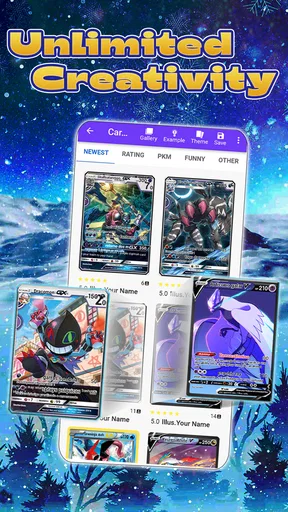
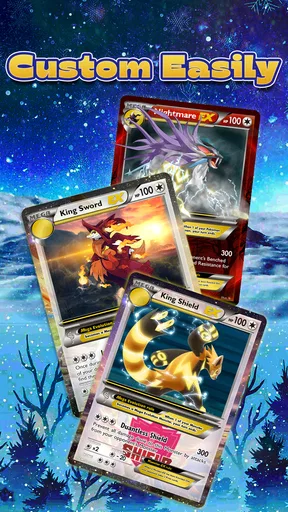
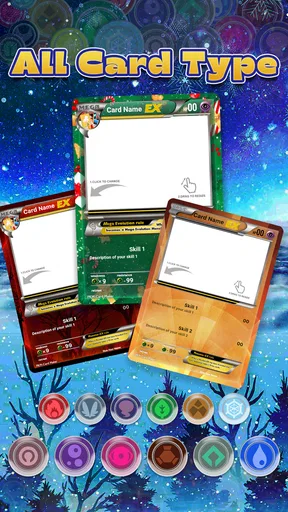
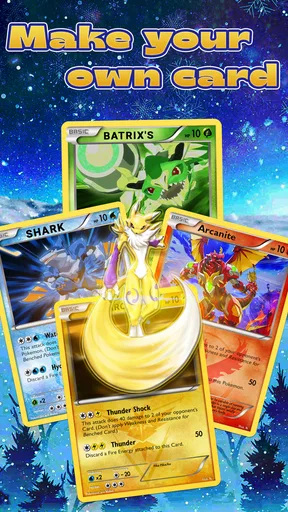
 Analysis by AppCompare
My ideal use for a Pokémon card maker starts with a small idea, not a full game-changing design: a favorite creature with a new move, a made-up evolution, or an in-joke for a friend. Card Maker for PKM (Poke Fan) is built for turning that kind of thought into a custom card, then sharing the result. I find it most appealing as a creative side activity for fans who enjoy inventing and illustrating, rather than as a replacement for an official card collection or a tool for serious deck building.
From a rough idea to a finished card
The useful way to approach a project is to decide on the card’s personality before opening the editor. I’d pick a name, think of a type and a short ability, then gather an image or sketch if I have one. That little bit of preparation helps because the fun of a custom card is not just filling in boxes: it is making the details feel like they belong together. A dramatic name paired with a silly flavor line can work; a long ability beside cramped text may not.
Once I’m in the app, the templates provide a starting point, while text fields and editing controls let me shape the result. I’d work from the most important details outward: name and image first, then type and ability, and finally the flavor text. This order makes it easier to spot whether the central idea reads clearly before spending time polishing colors or font size. For a first attempt, keeping the wording brief is a practical choice; small card layouts can make a paragraph of custom text harder to read.
The image step is where a little planning pays off. If I’m using my own drawing, I’d crop it before importing so the subject is easy to recognize at card size. A busy background can compete with the text and frame, while a clear subject makes the design feel more intentional. That is a creative trade-off rather than a complicated technical requirement: the editor gives me room to customize, but the source image still affects how finished the card looks.
Sharing is part of the creative loop
After the design is readable, sharing gives the project a natural next step. I can send a creation to friends or show it to other fans, which suits a quick challenge such as inventing a card around a shared joke. Before sending one, I’d check the spelling and make sure the image and text still look balanced together. A second look on the finished design can catch awkward line breaks or a name that seemed clever while drafting but does not fit the card’s mood.
For a casual group activity, I’d have everyone create a card around the same prompt—perhaps a favorite type, a fictional character idea, or a playful ability—and compare the results. The app’s value in that situation is the short path from concept to something visual that can be passed around. It is not necessary to turn the activity into a contest or treat the cards as official game pieces; the shared invention is the point.
What it does well, and where I’d choose differently
Compared with drawing a complete card from scratch in a general art app, a card maker gives the idea a recognizable structure and keeps the focus on names, artwork, and card-style text. That makes it easier to get a presentable result without first building a frame and layout yourself. A general graphics editor is still the better choice if I want exact control over every layer, a distinctive layout, or artwork that needs detailed retouching. This app is more appealing when speed and a familiar card format matter more than unrestricted design control.
Worth Reading Before You Choose

Flipboard Shows What News Apps Must Do Beyond the Feed

Switching to Android Auto Means Rethinking Your Driving Routine

Google Calendar Makes a Crowded Week Easier to Manage

Ludo King Makes the Most of the Minutes Between Plans

Baby Panda World Brings Quick Play to Modern Phones, but Its Game Library Feels Busy

ESPN’s Live Game View Makes Following Close Games Easier
I would also separate making a fan creation from preparing something for competitive play. A custom design can be a fun conversation piece, but it should not be assumed to follow official rules or be suitable for an actual tournament deck. If my main goal were organizing a collection, checking official card details, or tuning a legal deck, I’d use tools made for those tasks instead. Here, the strongest use is imaginative making and sharing.
Who will get the most from it
I can see this working especially well for Pokémon fans who like to doodle, write playful abilities, or make personalized digital gifts. It can also give a family or friend group an easy creative activity: one person invents the character, another suggests the move, and someone else picks the artwork. A parent or older sibling can help younger fans keep text short and make sure a chosen image is appropriate to share.
On the other hand, it may not suit someone who wants a polished professional design workflow, precise production controls, or a deep library of official card information. It is also less rewarding if you have no interest in inventing your own concepts and simply want to browse or collect existing cards. I’d think of it as a playful workshop, not a catalog or a battle simulator.
Practical details before you begin
Created cards can be shared, and the original description also points to printing as a possible way to enjoy them beyond the screen. I’d treat printing as an optional craft project and check the layout on screen before using paper or ink; a design that looks good on a phone may need a careful proofread when viewed at a different size. I would not assume that a printed fan card has the same status or quality as an official card.
The app is free to try, with in-app purchases listed from $1.99 to $4.99 per item. Since some templates or features may require payment, I’d first make a simple card with what is available and decide whether the extra choices would genuinely improve my projects. That is a better approach than buying something before I know whether I enjoy the editing flow. The app is rated for teens, a useful point for families deciding whether it fits a younger fan’s device.
For an everyday example, imagine a rainy afternoon when a friend sends a sketch of a made-up Pokémon. I could bring the image into the editor, add a short name and ability, adjust the text so it stays readable, then share the finished card back for a laugh. The workflow is satisfying because each step has a visible result. The handoff is simple too: the image comes from the person who drew it, and the completed design goes back to the group for reactions or another round of ideas.
That flow can break when the starting image is unclear, when the text is too ambitious for the layout, or when I expect the finished card to behave like a real game component. I’d solve the first two by simplifying the artwork and trimming the wording, and the last by treating the result as fan-made creative work. Those limits are worth knowing before investing time in a detailed design, but they do not get in the way of a quick, personal card.
For context, this is a comics-category app from JoyCraft Digital, released on September 30, 2016. It has a 4.1 average from around 22,000 ratings, with more than 1 million installs. Its current version is 2.7.5, and it requires Android 8.0 or later. Those details suggest an established, widely used creative app, though popularity alone cannot tell me whether its style matches my own projects.
What I would still want to know before settling into a longer project is straightforward: can I make a satisfying card without paying, can I share it easily, and will my image look good in the template? The free starting point lets me judge the first question directly, while a small test design answers the others before I commit to a complex idea. If I need precise control or formal play compatibility, I would choose a different kind of tool; if I want a quick fan-made design to share, this is a more fitting option.
Hey there, fellow Poké fanatics! If you’re anything like me, you've probably daydreamed about creating your own Pokémon cards at least once. Well, guess what? There's an app for that! Let me introduce you to the Card Maker for PKM. Trust me, this app is a game changer, and I’m here to spill all the details.
Unleashing Your Inner Pokémon Trainer
So, I dove right into Card Maker for PKM, and let me tell you, it’s like stepping into a world where your imagination is the limit. The app is designed to make creating custom Pokémon cards super easy and fun. Whether you’re a seasoned trainer or a newbie, you’ll feel right at home.
Getting Started: Easy Peasy!
First things first, the app is available on both Android and iOS. So, no matter what device you're rocking, you can join in on the fun. Once downloaded, the interface is refreshingly intuitive. You’re greeted with a clean and straightforward design that makes navigation a breeze. I was up and running in no time!
Features That Pack a Punch
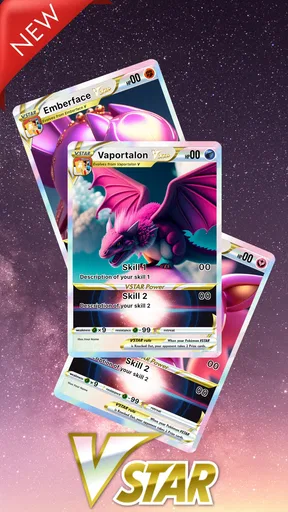
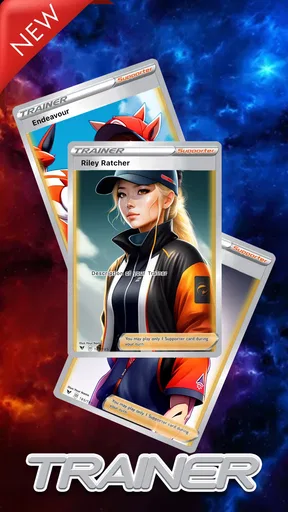
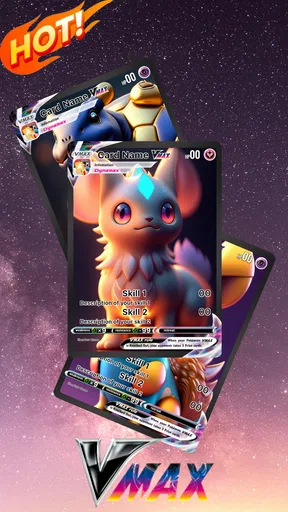
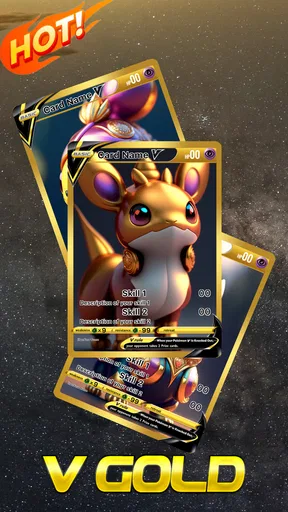
Now, let’s talk features. This app is packed with everything you need to create legendary cards. You can choose from a variety of templates, each more exciting than the last. I was particularly fond of the classic designs that brought a wave of nostalgia.
- Customizable Text Fields: Add your Pokémon's name, type, and abilities. You can even get creative with the flavor text!
- Image Upload: Have a drawing of your Pokémon? Upload it directly to your card. The app supports various image formats, making it super versatile.
- Editing Tools: These are super user-friendly. Adjusting colors, fonts, and sizes is as simple as a tap. It’s like having a mini design studio in your pocket.
Why You’ll Love It
If you’re a fan of collecting or battling with Pokémon cards, this app lets you bring your fantasy to life. I spent hours crafting cards for Pokémon I wish existed. And the best part? You can print them out! Yep, just imagine sliding your custom card into a deck.
Also, sharing is caring, right? You can share your creations directly from the app. Whether it's through social media or with fellow trainers, showing off your designs is just a click away.
Some Things to Keep in Mind
While the app is a blast, it’s worth mentioning a few quirks. The free version is fantastic, but some of the cooler templates and features are locked behind a paywall. It’s not a dealbreaker, but something to consider if you’re planning to go all out.
Another thing is the occasional ad pop-up, which can be a bit distracting. But hey, nothing’s perfect, right? A small trade-off for an otherwise stellar experience.
The Final Verdict
All in all, Card Maker for PKM is a must-have for any Pokémon enthusiast. It’s fun, creative, and brings a whole new dimension to appreciating Pokémon. Whether you’re young or just young at heart, this app is sure to keep you entertained for hours. So, what are you waiting for? Dive in and start creating your Pokémon universe today!
Pros
- Intuitive interface for easy card creation.
- Wide variety of templates available.
- Customizable text and images.
- Supports high-resolution card exports.
- Regular updates with new features.
Cons
- Limited free features; in-app purchases required.
- Occasional ads interrupt user experience.
- No offline mode available.
- Some templates lack customization options.
- Requires internet for full functionality.
FAQs for Card Maker for PKM (Poke Fan)
What is Card Maker for PKM (Poke Fan)?
Card Maker for PKM (Poke Fan) is an app designed for fans of Pokémon who wish to create custom trading cards. With a variety of templates, images, and text options, users can design personalized cards featuring their favorite characters, moves, and stats, making it a fun tool for collectors and enthusiasts.
Is Card Maker for PKM (Poke Fan) free to use?
Yes, the app is free to download and use. However, it may offer in-app purchases or premium features that enhance the card-making experience. These could include additional templates, exclusive designs, or the removal of ads. Always check the app's store page for specific pricing details.
What features does Card Maker for PKM (Poke Fan) offer?
Card Maker for PKM (Poke Fan) provides a range of features including customizable card templates, a variety of fonts and colors, and the ability to upload personal images. Users can design cards with authentic-looking layouts and share them with friends or print them out for personal collections.
Is Card Maker for PKM (Poke Fan) suitable for all ages?
The app is generally suitable for all ages, especially for Pokémon fans. However, parents should monitor younger users due to potential in-app purchases and online sharing features. The app is designed to be user-friendly, making it accessible to both kids and adults who enjoy creative customization.
How can I share the cards I create with Card Maker for PKM (Poke Fan)?
Users can share their custom cards directly from the app via social media platforms, email, or messaging apps. Additionally, the app may allow you to save your creations to your device’s photo gallery, making it easy to print or share your custom cards in various formats.


